
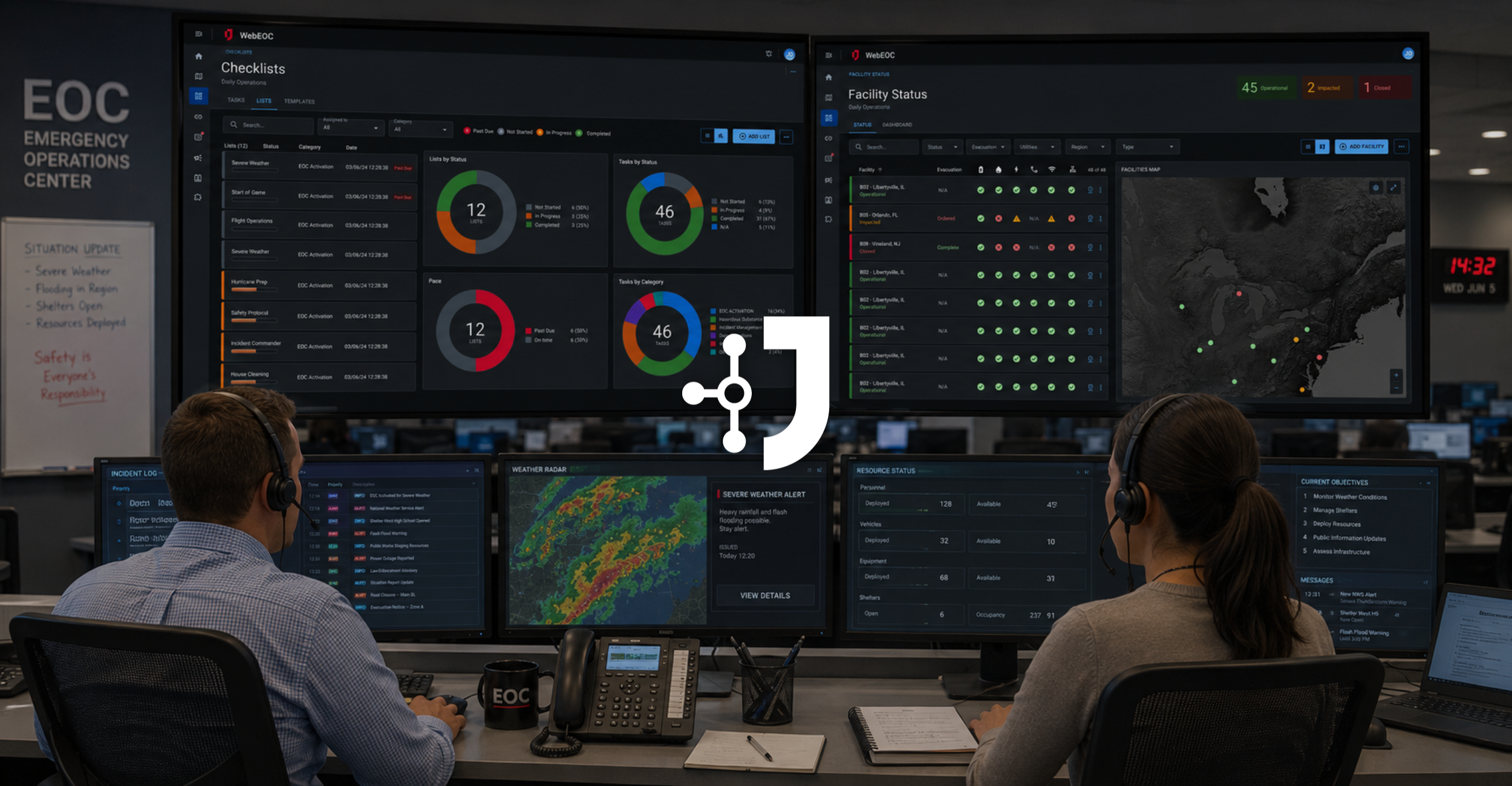
In this webinar, Mike Resto and Matt Cronin present the capabilities of the WebEOC Nexus platform, focusing on its evolution for emergency management. The presenters detail over 80 pre-built boards covering incident management phases, from planning to response, and highlight deep integrations with Esri’s ArcGIS for advanced mapping. The session includes a live demonstration of core workflows such as facility status tracking, resource requests, checklist management, and situation reporting. Key technological advancements discussed include the Juvare Exchange for inter-agency collaboration, dark mode for long-duration operations, and the integration of AI through JAI agents to automate data intake via text and email. The presentation concludes with a technical overview of AI security, confirming that data is hosted in secure environments like Azure and is not used for model training.
# Transcript
Welcome everyone to our webinar titled battle tested platform, reimagine for what’s next. This is WebEOC. Today’s speakers, Mike Resto is director of product management, and Matt Cronin is VP of solutions engineering. With that, I’ll turn things over to Mike. Mike, please take it away.
Thank you, Jeff, and thank you all for joining us here. So wanna spend a few minutes. Again, my name is Mike Resto. I’m the director of product management.
Been with Juvare now for around eight years working state and local emergency management in Florida. A lot has changed with WebEOC in those years, both, you know, when I was a client as I’ve continued to work on the product with Juvare. And we wanna cover some of those with you here today. Five things in particular that we want to take a minute to show off, make sure you understand what WebEOC is capable of.
A little bit of a tell you what we’re gonna show you once I pass it off to Matt here in a few minutes. So starting out, what’s changed? The amounts of use cases and the breadth of what WebEOC handles right out of the box. So we now have over eighty pre built boards on day one just to be uploaded into your system that really span the entire range of incident management phases and processes from the planning side where we have compute builders and business continuity solution to the response oriented side where we handle a resource request, sheltering, situation reporting, lifelines, and many others.
Some of these boards like requests and tasks and our event reporting have then even further been tailored for eleven industries that we support. So biggest takeaway here is there is probably a good chance if you’re in need of a workflow to support your operations, Juvare has already built one that is standard. Beyond just the breadth of things that we offer, the depth and how far you can take these workflows has expanded quite drastically. So the alerting side, what we’ve done with logic, alerting for your workflows, mapping, more than ever are we integrated with Esri’s ArcGIS platform to bring the best in class mapping.
Visualizations, a lot of work done on boards and just in WebEOC in general to be able to surface insights through charts, graphs, and other visualizations. And then lastly, on the collaborative side, we’ve just recently released a lot of new features to add a little bit more collaboration to a system of record. The experience of using WebEOC underwent a major change with the introduction of WebEOC Nexus here a few years ago. Three areas that we focused on mostly with Nexus, but the main theme there was looking out for the end users.
So number one, we wanted to provide these purpose built home pages. Log in to WebEOC in the correct incident, and you’ll know exactly kind of what actions are available, what boards are important without this need for massive amounts of navigation. Disasters don’t stop at night, so we often have to sit in those dark rooms. Introducing dark mode, easier on the eyes for those long activations or just twenty four seven operations.
And then lastly, just an entirely new look and feel for a more modern clean interface. So all of that is how WebEOC is used within a single organization, how one client would use one instance of WebEOC. But we’ve done a ton of work with Juvare Exchange on how clients collaborate with each other. Just to walk you through kinda how Juvare Exchange works, on the left hand side here, each of these columns represents a WebEOC client, whether that be an emergency management agency, department of transportation, any other local organization.
Each one using WebEOC to maintain their own operations and their own system of record. In this case, the state might be responsible for all resources requested while transportation responsible for all issues and road closures. The issue is that once we actually have entered into a disaster, we tend to fall back on old methods and channels of collaboration. We’re exporting information from our system and emailing it to others.
Juvare Exchange is our effort to bring all of those systems together to be as collaborative from a technology perspective as you all are during disasters from that personal perspective. And then lastly, how we capture information in the first place. Some of our latest improvements to WebEOC have been on the AI front and specifically where we started with our JAI agents, JAI standing for Juvare AI, and our intake agents, which specialize in being able to understand your structured data in the way that you want it, but be able to converse with somebody outside of WebEOC via text message or via email to better collect that data from them in a natural way and then organize that data in a way that’s gonna make for better reporting, sharper insights, and that will be more prepared for future AI features that we have coming down the road.
So with that, let me introduce Matt Cronin. He will take us through a live demonstration.
Alright. So this is WebEOC Nexus again. We’ve come a long way over the years. So I just wanna give a brief introduction for those that are not familiar with Nexus.
Some things remain the same as older versions of WebEOC kind of tried and true features such as role based access system. Right? And so based on the role, that’s gonna determine what permissions I have in the system, and that’s gonna, you know, give you all the features that you need in the system to do your job as needed. There’s also the concept of incidents.
So the idea that, you know, when information is captured, it’s associated with an incident and managing multiple incidents at one time, that information can be managed separately and independently. We also have the concept of mass reviews, which is essentially roll up incidents. So maybe for a particular, year or a particular quarter or in some cases for big big agencies, like big federal agencies that are, you know, working hundreds of incidents at any given time. They use, this for regional grouping of incidents.
So it can be used for a lot of different ways of grouping incidents so that when you log into that master view, you see all the data within that incident or you can manage and entered information separately and independently. So those things have all been around for a long time. Some new features to call out, as Mike noted, a dark mode. There’s a toggle for each user to individually toggle dark mode, and that will toggle your home pages, your boards, your workflows, your maps.
Everything will be, you know, toggled over as you change to dark mode. As desired, you can go back in and and swap back to light mode as necessary. So that’s a huge one. A lot of folks really appreciate that.
Also, mentioned it very briefly, but the idea of homepages was a new concept with Nexus. So the idea that you can create spaces for different roles to have all the different tools and capabilities that they would need, whether that be internal tools or linking to external systems or different maps, all of that is available from your homepage here. And all you have to do is click the item, and it will take you to that particular item. So just a couple other few things with Nexus.
Again, new interface, so you can slide this in and out to see what we’re talking about here. You can click, you know, if I’m interested in boards, I have a separate boards area. If I’m interested in maps, I have a separate maps area. And you can go to those different areas to access the different tools and capabilities you need when you’re utilizing WebEOC Nexus platform.
So moving on from that, I wanna talk about some of the common workflows that Mike mentioned. As he said, we have about eighty workflows. Obviously, we don’t have time to cover all those today. What I will do is just cover some of the more common, ones that are used across industries.
I know on this call, we have a lot of different public sector, private sector. So these different markets or industries have different needs. So we have different solution sets based on those different needs. But things like facility status tracking, being able to drill down and see, alright, what are my facilities that have been impacted?
And then more specifically, what has been impacted from those facilities? Is it water, power, phone, Internet, whatever?
This could be automated through integrations, which has gotten a lot easier and better over the years. And so we can integrate with other systems and automate those, or they can be updated, you know, by users. You have your schedule here, your kinda your planning p, what are the things that are happening. The items change colors as they get closer.
And, of course, we have a lot of mapping throughout the system that we’ll we’ll spend some time on a bit later. But the fact that our mapping is Esri based, obviously, provides some very powerful tooling as it relates to GIS technology within the platform. You also have the ability to create an incident. You can assign this to users that should be able to do that so that folks aren’t having to wake up in the middle of the night to create an incident.
Anyone that’s authorized should be able to go in here and say, you know, I’m having a particular type of incident, you know, hurricane Matt, and this is the agency. This is a location. This is the summary of the incident. This is the activation level we’re at.
This is who it needs to be assigned to. I can select specific contacts to notify or the rules can be set up in the background to just notify automatically. So any of these workflows can also just send notifications without the user having to do anything. So the administrators would set up the types of notifications that should be sent out.
Is it email? Is it text message? Is it a mobile push notification? Is it a voice call?
All of those can be enabled by the administrator as needed. So once that incident’s created, we could then move into incident. I’m gonna stay in this incident because, obviously, that incident is gonna be blank. And so we wanna look at some data here, so we’ll stay in this daily operations incident, which is commonly used by agencies on a day to day basis.
Once we have our incident, we’re tracking our different events that are happening. We can see where they’re happening. I can go in there and very quickly add an update to a particular incident. And so when I put my update here, it’s gonna stamp that, the user that did it, the date and time that they did it, the user, the role, and the date and time. That’s all captured automatically. There’s nothing I have to do there to capture that. That information is gonna be captured in that record.
So you can have one record that can have a string of updates, or they could just have your initial reports that might not have some updates. You can zoom to the location of that very easily to see where that’s happening. You can filter the map very easily to see maybe both of the filters in the list here and the filters in the map just by clicking these filters up here. You have dashboards to summarize this information.
And, again, all these workflows can be customized. These are all workflows off the shelf turnkey, you know, could be put in place, you know, in a matter of days, if not minutes. Aside from information monitoring and management, you have a lot of processes for request monitoring and management. This could include optionally inventory.
So if you have an inventory, you can import all your resources. You can have custom fields added to this. You can have things like barcoding. You can see the location of those.
You can have images. You can have cost information, CPaaS deployments, track maintenance. So very robust inventory, and this ties into the request process. So I had my shower trailer there.
I have a request for a shower trailer. This would follow my normal process for whatever that process is so we can adapt to each agency’s unique process. Let’s just say I go in here and I wanna fulfill this shower trailer request. I can go in here and I can actually add a deployment right from the request.
I can scan the item or I can search my inventory. In this case, I’m looking for my shower trailers. I have a number of different options here. I can see that these are from various jurisdictions in the state.
I can select that particular one that I want. I can mark it on alert. I can say I wanna I have one. Maybe there was three available, and I only need one.
It already knows where it’s going to based on the request. It already knows where it’s coming from based on the inventory location, and so I can very quickly deploy that item. And, of course, all of these have map based information.
You can save records as draft as you’re completing them. There’s a whole separate reporting section, so you can filter down and export various reports that you’re looking for. You can track all your deployments very easily. You can track your finance records very easily, and then you have dashboards just summarize all this information.
So all of these things I’m running through very quickly, but, again, we can schedule some deeper dives for those that want to dig in a little bit further. But the again, here is just to give a sense of all of these different turnkey workflows and capabilities that are available now. In addition to requests, which are more kinda ad hoc, we also have a checklist tool where you can have all your checklist templates. And so for that hurricane scenario, scenario, I can go in here and say, filter by all my hurricane checklist.
And then let me select those all, activate them. It will it’s checking and telling me, hey. These have already been activated for this incident, so I could activate them again if that was appropriate, or I can go in here and once they’re activated, I can monitor the status of those. And all of these are also completely mobile friendly.
So as I’m going in here and and maybe checklists have been assigned to me, I got notified about that.
I can mark them in progress. I can mark them as completed. I could add my notes to these. And, of course, it’s stamping everywhere, the user that did it, when they did it, you know, all that information.
There’s total accountability for any updates that are being captured in the system. So that’s really critical, for this. Right? You also have the ability to, again, summarize with dashboards, to download these checklists, to have a lot of folks will print them out, put them in binders.
It’s just the paper backup. Usually, you don’t need it, but if you wanna have that, you can download those very easily. You can import everywhere, export it everywhere either to PDF or Excel. Those are kinda universal features.
We also have a lot of integrations with third parties. One of them I really like is our weather insights from WeatherOptics. So we have in this case, it’s just all the airports in the US, but then we’re feeding that to WeatherOptics and getting our weather insights. So we can then filter down to to the facilities that aren’t anticipated to have significant weather impacts over the next seventy two hours.
And so you can see those impacts. They produce a risk score. You can hover over the risk score, and you can anticipate what sort of damage or impact could be from the particular risk. And you can also look over time when the peak of that risk will will exist.
So this is just one example of taking our standard workflow, the facility status board, and integrating that with one of our partners, which is WeatherOptics. Just a few other workflows, and then I wanna highlight some other features and capabilities. Situation reporting is very critical. Most executives and leaders want, you know, some sort of reports, whether that’s once a day, a couple times a day.
And so you could really go in the building side of this and customize. Alright. What do I want this header to look like? What logo do I want there?
Of course, you don’t have to use our logo. What sections do I want reports from? What information? You can give instruction of what you’re looking for from those groups, and then they would feed that information in.
And then all the user has to do is is go in and approve the different sections as they come in, or they can go and make edits to it. They can lock it, and then they can review that sent rep, make sure it all looks good. And then, you know, assuming everything looks good here, I can hit publish, and then that would take us that snapshot in time, and that would publish that out to a historical record. And I can also email a copy of that PDF report, and that’s a nice feature that we have across the board as you can do PDF attachments of reports and things that can be automated when they’re published.
A similar process exists for the incident action plan. I know some don’t use this. Some this is very integral to their process, but you can go in here. We have all the different critical ICS forms.
You can go in and manage who those are assigned to, who last updated, which ones are included. You can preview the plan at any time to see how it’s looking before you publish it. But, again, it conforms to the ICS standard for all the particular forms that you would need, and there’s a lot of configurability and a lot of data movement between different forms to reduce the need to duplicate data entry, which is really what you find if you’re using the fillable PDF. There’s no movement of data, and this really streamlines that process and really cuts down the time it takes to create an [IAP].
So we’re pretty proud of that off the shelf board. Just one other after action reporting, what went right, what went wrong, how do we improve? We always wanna capture that information. We can look at dashboards to summarize that information for this particular incident.
We can add items to our improvement plan. We can export a PDF of our improvement plan report to share with our team. Whenever we need to do that, it just takes a second to run through our PDF engine. But now we have our nice PDF report that can be populated from that after action report.
So this is a many, many page report here based on all that feedback. Again, that PDF export is kind of a universal feature across these workflows. So I wanna kinda shift gears a little bit here to mapping very briefly. I talked about the mapping capabilities.
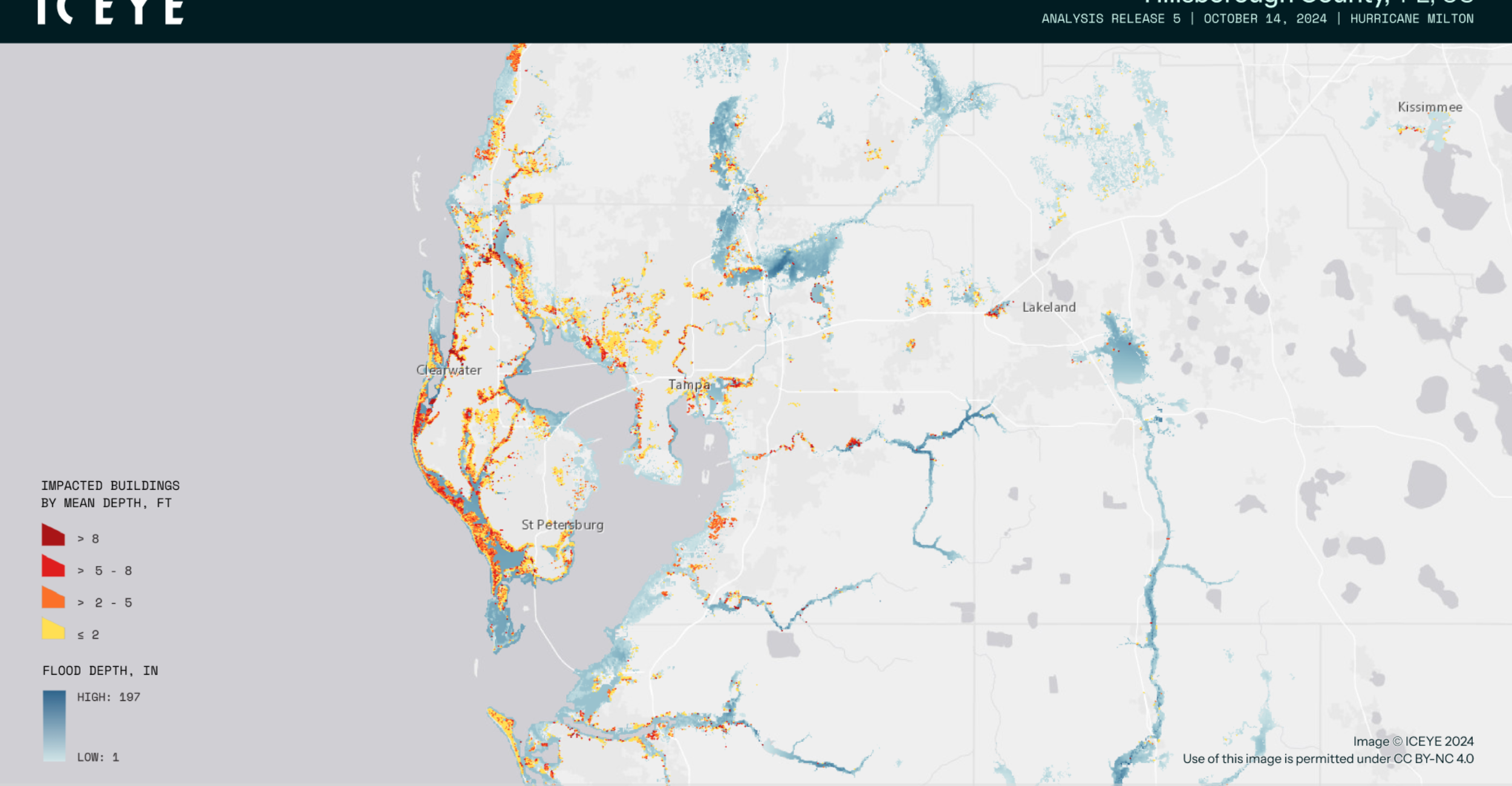
I talked about how it’s Esri based, so that provides a lot of capabilities. You know, that might be just for a particular city where we have data being populated like our shelters and significant events and road closures. We have three d capabilities too. Esri provides a lot of different capabilities here.
So you can see we have some three d features. We can see where the buildings are, the height of those buildings, and those sort of things. I just wanna showcase some different examples. We have no weather, no up it’s out there, layers freely.
So we got, you know, hurricane tracks and weather watches and warnings and radars. So any number of maps can be created, and it’s really dependent on our clients to determine what makes sense to include. Is it, you know, external sources? Are there your internal feeds?
We can pull in other common GIS formats like WMS, KML, and those sort of things. We have partners that provide their data in these formats, like Baron Weather is is one great example. Another weather partner of ours that provides some great weather intelligence. A lot of different features such as heat mapping so you can see where the trends are, where, you know, a lot of activities are happening.
You can see we got a lot of represented land activity based out of there, so a lot of records are there. You got flood gauge data. Again, these are just some different examples of things that we can pull in some different layers, insights. You can click on the records.
It will give you the different, you know, information. I can click on that station and see all the specific data from that particular station from there. So the maps are also interactive with these external layers, so that’s really powerful. And then a lot of folks will have the status maps.
We’ll have, you know, a state, and then we can see based on the status. You know, is it EOC operated or what the current status is of that particular county in the state, and this is common for many of our state partners. One or two other examples, three d mapping with some air quality layer. Again, a lot of these layers are freely available, and they can just be entered in the system very quickly and easily.
And then finally, another partner of ours, AirSight, that does drone tracking. So you can see in the Chicago area, all the different drones. This is just over the last three days, so it’s pretty amazing how many drones are flying out there when you have the technology to track that. So that kind of wraps those parts up.
I did wanna shift gears for a couple other capabilities to highlight before we wrap up. One of those is on alerting. Over here on the left, we have our alerts tooling. We can go in here.
We have a lot of different capabilities. Quickly, I can see different alerts that I sent, so I can see the number of recipients, what percentage were contacted. In this case, we have polling, so you can, send out a lot of different methods, and the user can respond back in any of those methods. In this case, it was email, inbox to our mobile app, text message, or voice call.
And then in this case, a hundred percent have responded, and it was asking for their availability to respond. And you can see we had zero to fifteen minutes over an hour, fifteen to thirty minutes, and this was the message that was sent. They clicked the link. They, gave their response option, and then that populated back our reporting.
And, you also have some other robust reporting where I can open a report to see at the time, you know, all the detail about that particular message. We also have a lot of tools to just get the message out very quickly. So if I needed to create an alert, I can go in and I can look at my templates. I can go and just hit review and send, click that I’ve reviewed and wanna send it and send.
So within a couple clicks, that notification is out, or I can do a deeper dive and look at the different modes and the different message, the format of the message, what information is included, and this is all using our different templates that we have. You know, it’s just like many alerting systems. You can, maintain a whole library of templates. You can predetermine who’s getting it, what information is included, what modes is it being sent out.
So that’s all predetermined so that when you need to send an alert, you can, you know, send that very quickly. One thing I also wanna touch on, I mentioned it earlier, the ability for notifications to be sent from workflows. You can see here that I have a lot of different emails that I received. So when I created that incident earlier, that sent an email to let me know.
I’ll just get a text message or whether it’s a a resource request or whether it’s a a comment that’s added to a workflow or whether it’s a third party like our SenseNet wildfire detection, that also sends alerts or whether it’s medical facilities that have been impacted or situation reports that have been generated and attached automatically. All of those workflows can trigger alerts very, very easily. So that’s kind of it on the alerting front. And I know I’m going quickly here, but, again, just wanting to kinda cover the the full breadth of capabilities that we have here.
Also, on the Juvare Exchange, Mike touched on it earlier. This is where we have the ability to connect different Juvare clients together to share information. So you see there’s different networks. Those networks have different members.
You can go into a particular network and have see the members, see what workflows are shared, see what incidents are shared within that network, and you have the ability to basically connect and share your workflows to other workflows, whether it be a state to their counties or cities, whether it be federal to or state local, whether it be public to private, any of those scenarios can be supported. We have over two hundred and many growing very quickly of our clients that are already on the exchange network that you can connect to and share information to. Of course, this is all just our demo environment.
So this these aren’t all actual networks, but really robust sharing. You can also have invitations. So if you get invite to join a network, you can see who sent that and accept or decline those invites to join those networks. So there’s a whole community that allows for collaborating and sharing through the Juvare Exchange.
The final thing I wanted to leave folks with is on AI. Obviously, AI is a huge part of how people are using technology today. It’s it’s expected. Some of our clients are still coming on board because, you know, there’s internal policies and things.
So it is optional, but I would say it’s highly recommended because of the capabilities it provides. You can enable it on any of your workflows, and essentially, users can ask any question. So I can say, alright. I’m interested in checklist.
And you could have precrafted items here. So say I wanna see checklist group by status, and it’s gonna look at the data, know, go through its processes. Takes a few seconds here to load because it’s just looking at all the data. As these models have gotten better, they’ve gotten, you know, more robust, continually providing better and better responses.
So we’ve been really pleased to see that. But, basically, this allows you to ask it anything or, again, have these pre crafted prompts here where I can preload what the things are that I think that users will be looking for, and then the user just has to click the button and it produces a result. So in this case, I created a graphic to show the number of checklists, how many are completed versus in progress versus not completed. It’s also asking me some follow ups, which I can just click any of these and it will follow-up and give you that information.
Another one that I really like is if we go to after action review and we get all that after action feedback, and I just want a summary of that. That’s a pretty manual process. You have to sift through all the AARs and try to create themes. Why would we have to do that now when we have AI that can take all that data?
You can give it instruction in terms of how you want it formatted, what things you’re most interested in looking for, and then guess what? It returns this beautiful response back in terms of training, equipment, what are the areas. So it’s grouping the areas, telling us what percentage of items, giving us some information of what the things are that folks are asking for, what organizations have provided this feedback, a table below, again, summarizing those issues. AI is obviously very powerful.
It’s even more powerful in a tool like this where you have a lot of data and you want insights quickly. It’s been huge for our clients that have started to use this. Final thing I’ll leave you with is also related to AI, but it’s on our agent capabilities. This one is a little more difficult to show.
There’s a lot of moving parts. So I did actually have a little video that I’m just gonna pull up. So what this is gonna show, again, Mike talked about it earlier. You can do email in or text in.
In this case, I’m doing texts. So I’m texting in to one of our agents, the different ICS two fourteen, if you’re familiar with that. Basically, what are the things that you’re out there doing in the field? Well, you know, I reviewed and validated action plan prior to publication.
I directed the planning section to prepare for the next operational period briefing. I resolved policy level issues regarding, you know, emergency proclamation. Obviously, this is kind of fast forwarded in terms of the number of items that are being entered here. But just imagine you’re just kind of sitting there texting in your updates, and now we’re going in in our event reporting tool that has a two fourteen generator feature.
So I can look at, alright, this is the operational period. This is the person. Here are the actions. The AI even cleaned up the language in many cases.
And now I go in, it allows you to add your signature to that. I can save that. I can go to our PDF feature. I can view what that looks like.
I can export that to PDF, and then it’s in the final format FEMA expects in terms of that ICS two fourteen format. So a lot of folks have been excited about that. That’s only one use case, obviously. We have a lot of different other ones.
Some of our new venue management clients, like stadiums, use it for see something, say something type of scenarios where you post a number and when somebody has an issue, they can post it in. What’s really great is that was just one way. It can also be two way where the person will say, there’s somebody smoking in my section, and that’s the message. Well, the AI knows that you need to know what section that is.
There’s certain information that you need to capture for that record to be complete. And one of those items is the location of that incident. And before these organizations were having to sit there, receive the message, and then, you know, stop what they’re doing and manually interact with that person. Now the AI agent will automatically do that for them.
So immediately, it gets a message. It sees that a location is missing. It asks for that specific detail to complete the record. And then once it has that completed information, then it will thank the person, maybe tell them what to expect next, and that record would then hit the WebEOC workflow.
And then in the WebEOC workflow, that could then trigger an email or a text message or a voice call or whatever the mode is that you wanna automatically be triggered, or somebody might just be sitting at the computer monitoring those things if it’s a very active type of incident or situation. We’re pretty excited about those capabilities. Just one other final note back to the Juvare Exchange of connecting clients together. We’ve actually stood up a team to help our clients do that, to support connecting those workflows, and we’ve had a lot of success.
We’ve been very appreciative of organizations from many different states from Hawaii to Alaska to Georgia to Florida to New Mexico to California to Wyoming. I know I’m leaving a few out, but we’re having some really great success working with clients to connect them up to their partners. That’s critical. Right?
Because you don’t wanna be working in silos. You wanna be connecting to the agencies that you need to and be connecting these workflows together. So I know I’ve said a lot. Our hope is that you’ll take us up on the offer to do deeper dives of some of these things that you’re most interested in.
If you have a Juvare representative, you can either work through them. If you don’t, they’ll give you some info in terms of how to get in contact. But I’ll stop talking and, again, appreciate the opportunity to show you WebEOC Nexus today. I’m gonna go ahead and turn it back over to Jeff.
As Matt pointed out, there’s a broad audience on this webinar today.
So we have state and local, we have federal, we have health care. We’re lucky to have such a great and broad customer base. What we’d like to do though is if you’re interested to learn more, just click that button on our website, that link to request a demo. We can give you a tailored presentation just to your user, to your needs, to your use cases.
So we’d love to do that if you wanna learn more. I noticed a couple of questions on that, and I will reach out to you directly for those that that have asked. But in general, if you wanna learn more, that’s a great place to start. We have an upcoming webinar in a couple of weeks.
It’s gonna be August fifth. This is with our partner, Eisai. And on this webinar is gonna be three great leaders from Florida talking about how they’ve dealt with some of the events that happened on their watch in Florida. We’d love to have you attend.
This is gonna be at one PM eastern on August fifth. It’s gonna be a Zoom presentation. We’ll take your questions just as we did with this presentation, and we can all learn a lot together from these great speakers and leaders from Florida. With that, I’d like to thank you and turn things back over to Mike if we have any questions that, Mike, you wanna address or we can wrap it up otherwise.
Yeah. I’m gonna address one particular question. There were some questions around the AI functionality features, so I’ll answer that one. Some of the other questions, some of them got pretty in-depth to some, like, specific situations.
So as Jeff mentioned, it would be great to use I’ll go back a slide. That previous link if you are not a client. If you are a client, feel free reach out to your CSM and others, and we’ll get some of these other questions answered for you. There were questions on AI and the security.
Do we use it for training, etcetera? So I do want to clarify some of that. Number one, the models that we’re using are hosted in the same infrastructure as your instance of WebEOC. So if you are in the United States, a county in the United States, that is more likely than not in our Azure US commercial environments.
Our AI features are also using those Azure services for those potentially using Unified Command Platform in FedRAMP. We are using FedRAMP approved models, such as Anthropic’s Sonnet and Opus models that are in those environments. So that’s number one. Number two, what does Juvare do with the data?
Absolutely nothing. We don’t use your data for any training. Our agreements with providers of those models, they don’t use that data. So none of the data is used for those reasons.
And then lastly, as far as like your data transit goes, everything happens in what’s referred to as a stateless format. Basically, the models themselves don’t save the conversations you have or the responses or the data you provided it. All of that is only saved within WebEOC and the Juvare product. So hopefully that provides a little bit of comfort of what we’re trying to do in that way.
If you are interested in that, same as the other comments, please reach out to us individually and we could walk you through it a little bit more.
That’s all I have. Appreciate everybody coming here today and look forward to hearing everyone at the next webinar. Thank you all.
Elevate your business strategy with WebEOC. Learn more here.