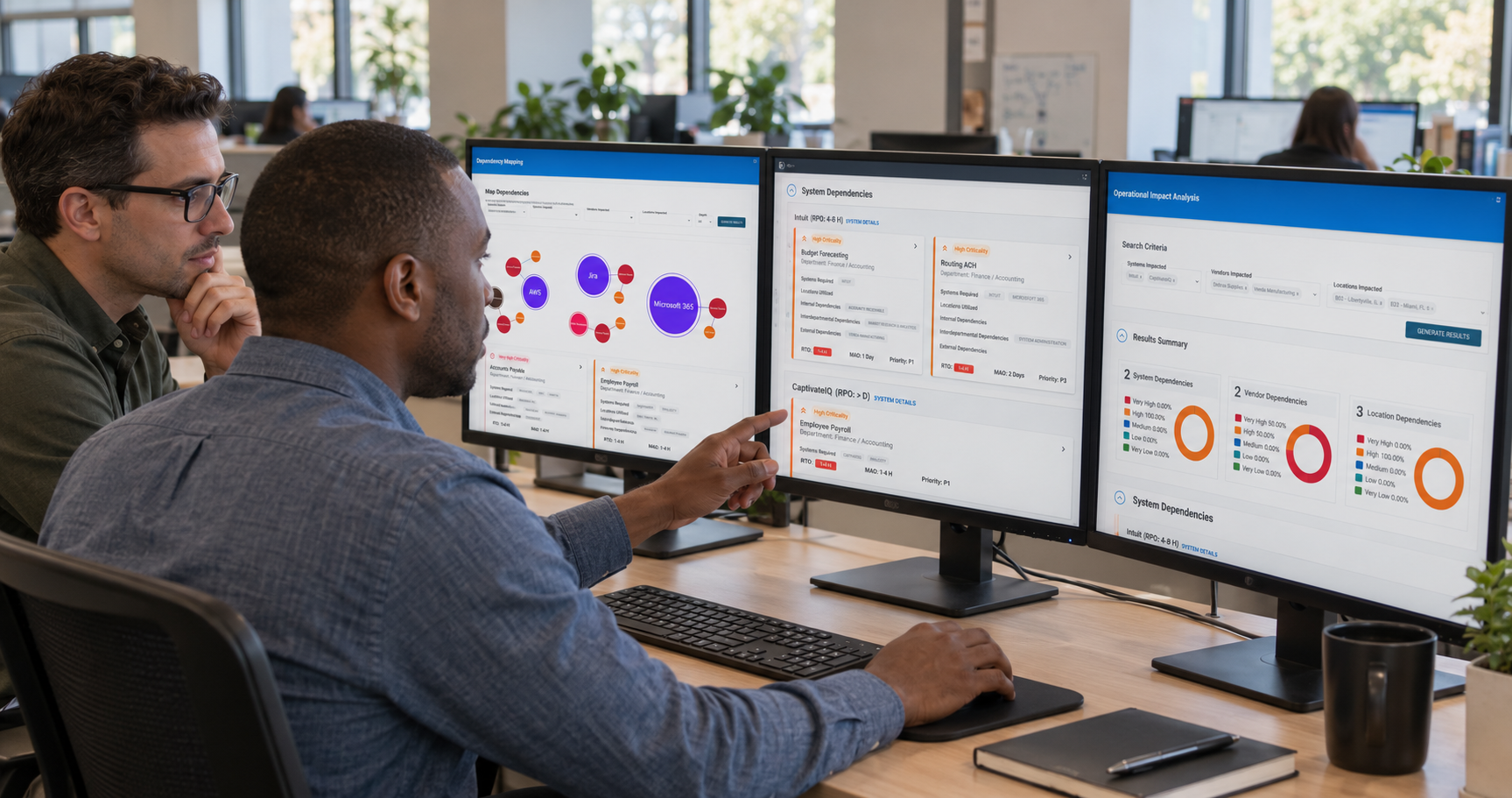

Selecting new software for critical operations management is an opportunity to not only protect your people, brand, and property in the event of disruptions, but also uplevel your daily operations. To achieve true operational resilience, your organization must invest in field-tested technology that enables better collaboration within and between teams to reduce downtime and speed up response and recovery.
In this guide, we’ll walk through every step of the evaluation and selection process for emergency management software. You’ll learn how to prepare your organization for change, what features to look for, and how to make the right call for your needs and goals.

When Is It Time to Invest in Critical Operations Management Software?
Before requesting any demos, your organization needs a clear picture of its needs and goals for emergency response software. By mapping out current processes and identifying bottlenecks, you’ll discern which providers fit your organization and which do not.
Understanding the Stakes
Disaster can strike at any time. If your response workflows are just “good enough”, they may fail when you need them most. Risks of a delayed or disconnected response include:
- Endangering people and critical infrastructure: During an emergency, every minute and every message counts. If you’re unable to respond effectively, you put your people and property at risk.
- High cost of downtime: In 2026, more than 90% of mid-size and large enterprises report that a single hour of downtime costs over $300,000, with 41% facing hourly losses between $1 million and $5 million.
- Damaged reputation: For government and private sector organizations, reputation is crucial. If stakeholders lose confidence in your ability to navigate critical incidents, that damages their trust in your organization as a whole. By contrast, strong continuity of operations reinforces the public’s trust.
Map Out Current Response Workflows
Understand your current processes to identify how software can improve them. To ensure your map of current workflows is complete:
- Audit data flow: Trace how an incident report travels from the field to the central command center. How quickly can different teams get on the same page? If there are significant delays or complex processes to access crucial information, that’s a major obstacle to effective response.
- Document manual processes: Is your team leaving notes on each other’s desks about emerging threats? Ask your team members to share any workarounds they use that won’t show up in your review of digital systems.
- Review existing emergency response plans (ERPs): Read through your current ERP to determine whether it prepares your team for relevant issues and has a clear escalation guide.
While mapping out these processes, note any bottlenecks that slow your response and recovery. Later, you’ll use these bottlenecks to inform your software needs.
Determine Funding Requirements
Federal and state programs offer opportunities for funding to maintain strong emergency management processes. Before launching into demos, you’ll need to ensure you understand what the requirements are for funded software investments.
Ask Internal Team Members About Their Needs
Implementing new technology requires buy-in from the people who will use it during a crisis. To ensure your emergency management software aligns with every department’s needs, reach out to the appropriate stakeholders for your sector.

Top Features of Emergency Management Software
The best emergency management technology goes beyond basic alerts to provide comprehensive critical operations management that improves your emergency response and streamlines your day-to-day operations. Core features of emergency management software include: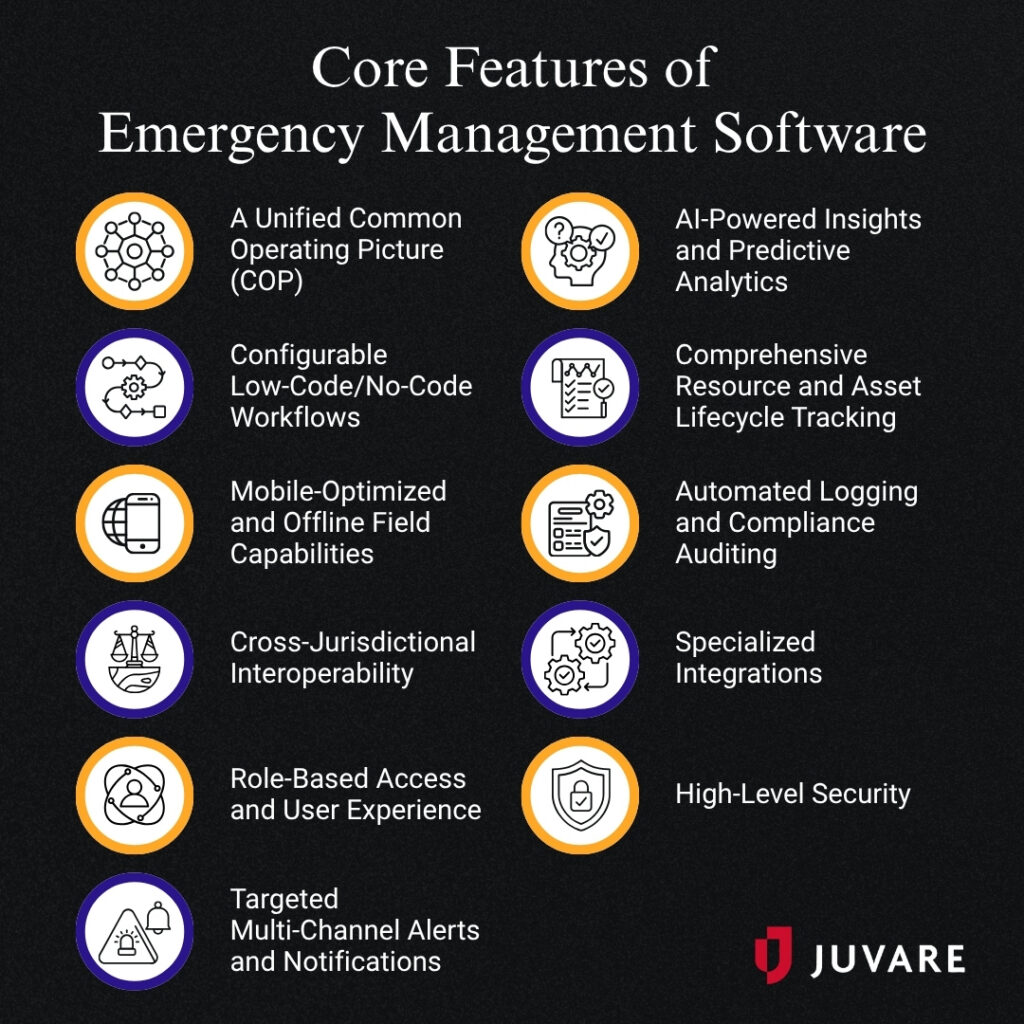
A Unified Common Operating Picture (COP)
Your emergency management software should fuse disparate data streams, live sensor feeds, and complex mapping layers into a single pane of glass. With situational awareness, your stakeholders can make faster, more informed decisions about your response.
Configurable Low-Code/No-Code Workflows
For specialized organizations like financial institutions, federal agencies, utilities, and more, customization is key to ensuring your software aligns with your complex needs. However, your tools shouldn’t make your work more difficult by requiring completely custom coding.
Instead, look for software that offers an intuitive drag-and-drop builder. This way, administrators can rapidly design, test, and deploy customized digital forms and complex incident workflows. This flexibility allows leaders to easily adjust user permissions and adapt incident boards within minutes.
Mobile-Optimized and Offline Field Capabilities
Responders in the field often need to log incidents, submit damage assessments, and attach encrypted media while offline. The best critical operations management software enables you to execute these tasks even when local cell towers or internet connections collapse.
Look for solutions that automatically record and pair GPS latitude and longitude from mobile devices, then seamlessly synchronize data back to the central operations center once connectivity is restored.
Cross-Jurisdictional Interoperability
Disasters frequently exhaust local resources and require teams to collaborate across jurisdictional boundaries. A vital capability for emergency management is a secure incident network that enables agencies to selectively share operational boards, reports, and coordination tasks across departmental boundaries. With these features, private and public sector organizations can work together seamlessly to resolve incidents as quickly as possible.
Role-Based Access and User Experience
Your emergency management software should offer security as well as interoperability. Role-based access ensures users have access to all of the information they need and none that they don’t. This measure protects your sensitive data and helps users maintain clarity by remaining focused on the most important insights.
Targeted Multi-Channel Alerts and Notifications
During a crisis, you need to ensure every person likely to be affected by the incident receives proper warning and updates as necessary. Your emergency management software should empower staff members to automate and distribute high-volume alerts. Organizations should instantly broadcast targeted messages across:
- SMS
- Voice
- External API integrations
With strong communication lines, you help response teams and bystanders access the information they need to protect themselves and others.
AI-Powered Insights and Predictive Analytics
In recent years, artificial intelligence (AI) has become a crucial tool for threat management. Advanced incident response platforms integrate AI to rapidly digest large amounts of data. The AI then summarizes complex case actions, tracks emerging statistical trends, and answers complex operational queries. You can then use these insights to accurately prioritize resources under high-stress conditions.
Comprehensive Resource and Asset Lifecycle Tracking
Your emergency management software should offer real-time tracking of the operational status of critical assets. This not only minimizes downtime on the day-to-day but also helps you identify emerging incidents faster. You can also track the deployment of emergency response resources to plot your path to recovery.
Automated Logging and Compliance Auditing
To protect operational funding and streamline disaster recovery, your software should automatically capture a timestamped audit trail. This way, you can accurately report every change in operational status, text message, and vital resource request.
If your organization coordinates disaster recovery through FEMA, you need to find a provider that understands FEMA’s particular reporting requirements. You should have damage assessment tools that help you:
- Prefill property information using GIS and tax records
- Track infrastructure data and citizen input
- Auto-fill FEMA & FHWA forms with logged inputs
- Calculate repair and cleanup cost estimates
Specialized Integrations
Complex incidents require specialized intelligence. Look for platforms that offer native integrations with external data feeds to increase your situational awareness for unique threats like:
Consider what incidents your organization is most likely to face. For example, a manufacturing organization might be most interested in strong fleet management, while a large event venue might prioritize storm tracking and drone detection.
High-Level Security
To ensure cyber resilience, choose software that offers high-level security to protect your most sensitive data. For federal agencies, this is particularly important, as any software you choose must align with FedRAMP and Department of Defense standards. Look for tools that surpass basic encryption to achieve FedRAMP Class D and DoD IL5 authorization.
These features represent the key capabilities of emergency management, but needs vary depending on your specific organization. Create a prioritized list of capabilities that you want from your software as you enter the next stage of the selection process.

Evaluating and Selecting Emergency Management Platforms
After assessing your organization’s needs and the most popular features that emergency management software provides, you’re ready to start the evaluation process in earnest. As you research providers and whittle down your choices, you’ll need to ensure you understand who ultimately holds decision-making power in your organization, and to solicit demos to find the right platform.Assemble the Selection Committee
Think back to which team members were most helpful when you asked internal team members about their needs, and assemble a diverse selection committee that can speak to all departmental vulnerabilities. This team should include dedicated stakeholders from IT, finance, and frontline operations so the chosen platform satisfies both technical compliance and user-friendly field operation. While executive power may ultimately lie with one or a few individuals, the selection committee can make its preferences known and guide leaders toward the right choice. Consider establishing a weighted scoring matrix for your evaluation committee to utilize during technical vendor presentations. Quantifying subjective vendor impressions into concrete numerical scores prevents selection bias.Narrow Down the Choices
There are many emergency management software providers on the market, but requesting demos from dozens of potential providers will only overwhelm your team. Instead, pare down your choices to the top three providers based on your preliminary research. You can always request more demos later if you aren’t happy with any of the first three. Make your choices based on your prioritized list of features. For example, if you’re a university looking for emergency management software, your top features might include targeted multi-channel alerts, AI-powered insights, and a common operating picture. If a provider offers one of the features but primarily focuses on federal-level security and FEMA compliance, that may be a less relevant option.Request and Prepare for Demos
Software demonstrations are your chance to see how a solution will actually fit your organization’s needs. To get the most out of your demo, however, you need to be prepared. 24 hours before your scheduled demo, send vendors a complex sample situation your organization will frequently manage using their software. For example, a local government might ask to see how the software enables citizens to upload photos and real-time updates on localized damages. This way, you’ll see how the software performs under pressure.Make the Final Decision
While there is no single right choice for emergency management software, you should base your technical decision on your organization’s particular needs and unique goals. Ask these questions to guide you toward the best decision:- Does this software offer features that address all of our highest-priority needs?
- How will this platform scale alongside our projected operational growth?
- What training or support does the provider offer to help us get started?
- Does the platform meet all our compliance needs?
Why Organizations Choose Juvare’s Emergency Management Software
Over 1,000 local jurisdictions, 50 federal agencies, 80 private corporations, and 3,500 hospitals have chosen Juvare for their emergency management needs. Our unrivaled interoperability sets us apart, helping organizations connect critical workflows across public, private, and healthcare sectors to enable a faster, more effective response. What’s more, Juvare products regularly meet the standards of federal and state funding programs around emergency management, disaster response, antiterrorism efforts, and more. There’s money on the table for agencies that choose the right platform. Our core features include: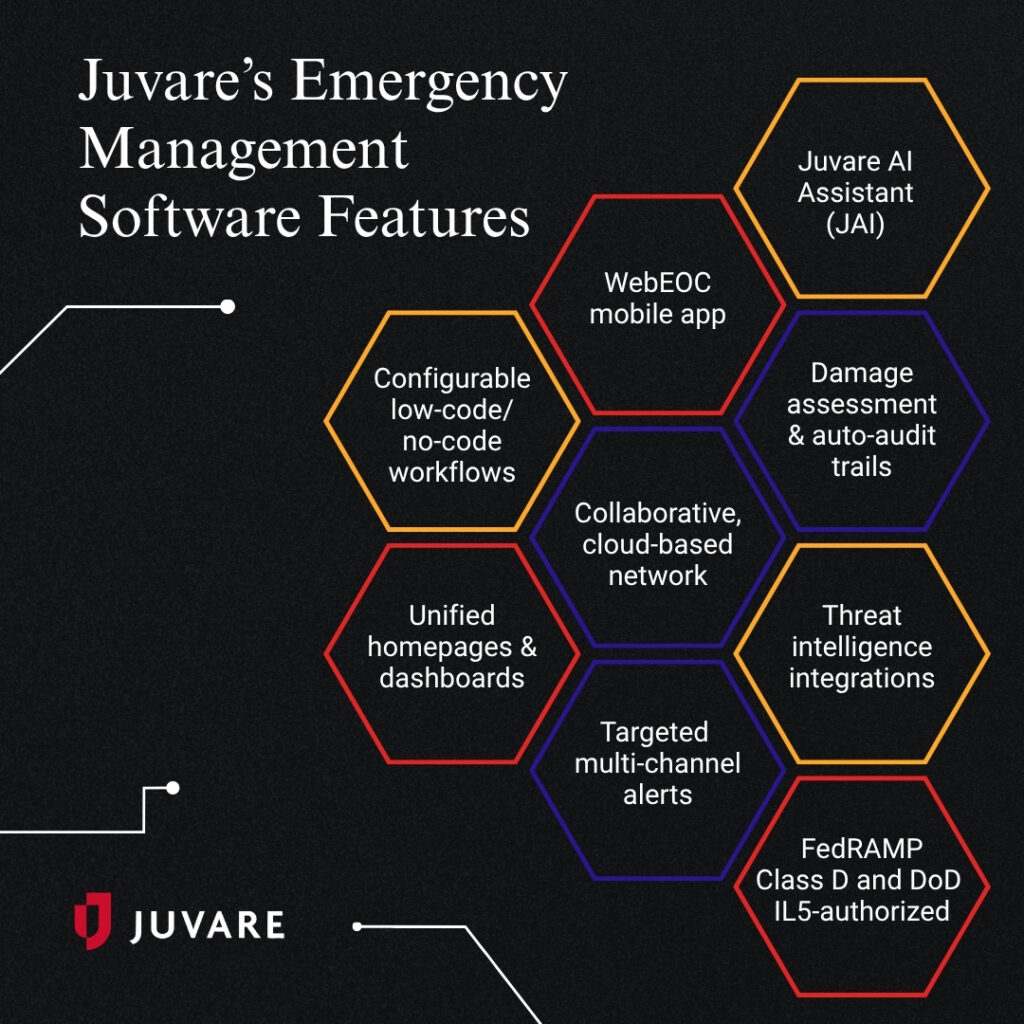
- Configurable low-code/no-code workflows: Through DesignStudio, users can build their own workflow boards without writing complex code. Or, explore our preconfigured boards to find the solution that matches your needs.
- Unified homepages & dashboards: Access a common operating picture through our unified dashboards, which display disparate data streams, mapping layers, and alerts in one place.
- WebEOC mobile app: This FirstNet-enabled mobile app allows field teams to submit reports, log incidents, capture and attach encrypted media, and auto-populate geolocations from their devices. It is purpose-built to remain fully functional offline and automatically sync data back to the central system once connectivity is restored.
- Collaborative, cloud-based network: Juvare Exchange connects over 600 emergency management agencies, private corporations, and healthcare partners, breaking down data silos by allowing users to securely share specific WebEOC boards and real-time incident data across geographical and jurisdictional borders.
- Targeted multi-channel alerts: WebEOC Alerts automates ad hoc notifications across multiple channels, including SMS, mobile push, voice, email, and webhook-connected apps such as Slack and Microsoft Teams. For public health and healthcare authorities, CORES HAN delivers high-volume mass notifications and real-time alerts tailored to specific responder groups.
- Juvare AI Assistant (JAI): JAI is an in-app tool that utilizes secure, role-based artificial intelligence to summarize vast log sheets, identify operational trends, and answer complex queries under pressure. This capability is paired with Juvare Analyze, which displays real-time, dynamic dashboards to help leaders visualize trends, patterns, and threat hotspots.
- Damage assessment & auto-audit trails: WebEOC’s native integration with Crisis Track automates damage logging in the field and auto-populates compliant FEMA public assistance forms (like ICS 214 and FEMA 9100) to accelerate disaster reimbursement. Furthermore, WebEOC automatically generates an immutable, timestamped audit trail of every status change and action to protect funding and simplify audits.
- Threat intelligence integrations: WebEOC partners with advanced third-party sensors. Examples include AirSight for real-time drone detection and monitoring, SenseNet for early wildfire gas detection, and Baron Weather or WeatherOptics for impact-based, hyperlocal meteorological risk forecasts.
- FedRAMP Class D and DoD IL5-authorized: Juvare delivers the absolute highest standard of data protection available for federal & defense agencies.
With these features, our deep expertise in a variety of industries, and our many training options for clients, it’s easy to see why so many organizations trust Juvare to bolster their proactive readiness and aid reactive response.

Additional Resources
With strong emergency management processes and the right technology, your organization will be prepared to respond to and recover from any critical incident faster. To learn more about crisis readiness, check out these additional resources:
- How Situational Awareness Fuels Emergency Preparedness: Situational awareness helps organizations prepare for, respond to, and recover from crisis situations. Learn how emergency response software helps.
- How Investigative Case Management Increases Public Trust: Investigative case management allows public sector organizations to ensure compliance and maintain constituent trust. Learn the basics and how tech helps.
- Continuity of Operations (COOP) Planning: The Ultimate Guide: Support your government in keeping essential operations running during and after a crisis. Learn how to create an effective COOP plan.